

Introduction
Choosing the right colors is one of the most important parts of any design project. Colors can influence emotions, improve brand recognition, create visual balance, and make a website or design more attractive. However, finding the perfect combination of colors can sometimes be difficult.
Fortunately, many online tools can help designers create professional and visually appealing color palettes. These tools allow users to explore different color combinations, generate palettes automatically, and experiment with shades and tones.
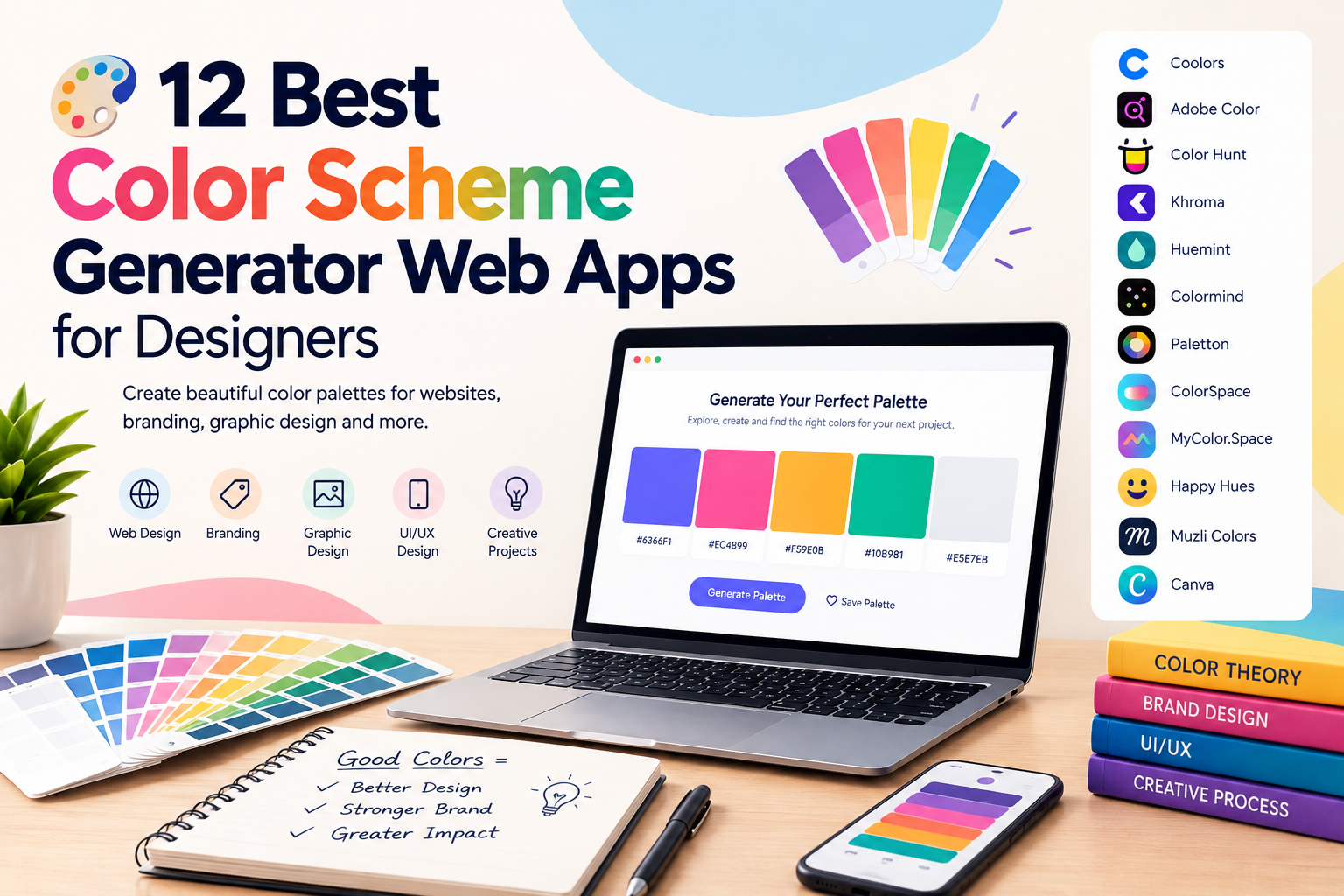
In this article, we explore the 12 best color scheme generator web apps for designers. These tools can be useful for web designers, graphic designers, digital marketers, UI and UX designers, and anyone working on creative projects.
Why Are Color Scheme Generators Important?
A color scheme generator helps designers select colors that work well together. Instead of choosing every color manually, designers can use these tools to generate balanced and attractive palettes.
Color scheme generators can help with:
- Website design
- Logo design
- Branding
- Social media graphics
- Mobile applications
- User interface design
- Digital marketing materials
- Presentations
- Creative projects
Using the right color palette can also create a consistent visual identity for a brand.
1. Coolors
Coolors is one of the most popular color palette generators for designers. It allows users to quickly generate different color combinations and experiment with multiple shades.
Designers can lock colors they like and continue generating new colors for the remaining palette. This makes it easier to find the perfect combination.
Key Features
- Fast color palette generation
- Color locking
- Palette customization
- Color code support
- Easy-to-use interface
Coolors is useful for designers who want to create professional color palettes quickly.
2. Adobe Color
Adobe Color is a useful tool for creating color schemes based on color theory. Designers can explore different harmony rules to create balanced combinations.
The tool can help users create:
- Complementary color schemes
- Analogous color schemes
- Triadic color schemes
- Monochromatic palettes
Adobe Color is particularly useful for professional designers who want more control over their color choices.
3. Color Hunt
Color Hunt provides a large collection of ready-made color palettes. Instead of generating colors manually, users can explore palettes created by different designers.
This makes Color Hunt useful when you need inspiration for a new project.
Best Uses
- Website design inspiration
- Branding projects
- Social media design
- Presentation design
- Creative projects
Designers can explore many different styles and color combinations.
4. Khroma
Khroma uses intelligent technology to help designers discover colors based on their personal preferences.
Users can select colors they like, and the tool generates combinations based on those preferences. This creates a more personalized color discovery experience.
Khroma can be useful for designers who want to explore new color combinations while maintaining their preferred design style.
5. Huemint
Huemint helps users generate color palettes for different design purposes. Designers can experiment with color combinations and discover palettes suitable for branding and digital projects.
The tool is useful for exploring creative color combinations that may not be easy to discover manually.
Huemint Can Help With
- Brand colors
- Website colors
- Graphic design
- User interface design
- Marketing materials
It is a useful option for designers looking for fresh and creative ideas.
6. Colormind
Colormind is a color palette generator that helps users create visually balanced color combinations.
The tool generates different palettes and allows designers to experiment with colors for creative projects.
Colormind can be useful for:
- Web design
- Mobile applications
- Branding
- Graphic design
Designers can use generated palettes as inspiration or as the starting point for their final design.
7. Paletton
Paletton is a color scheme generator that focuses on color relationships and harmony.
Users can select a base color and explore different color combinations. The tool helps designers understand how colors work together.
Available Color Schemes Include
- Monochromatic
- Complementary
- Triadic
- Tetradic
Paletton is useful for designers who want more control when creating a structured color scheme.
8. ColorSpace
ColorSpace helps designers generate different color palettes from a single base color.
You simply choose a starting color, and the tool provides multiple palette suggestions.
This can save time when you already have a primary brand color but need additional colors for your design.
ColorSpace is useful for:
- Brand identity
- Website design
- Marketing materials
- UI design
It provides inspiration for creating a complete and balanced color system.
9. MyColor.Space
MyColor.Space allows users to generate attractive color combinations and gradients.
Gradients have become popular in modern web and graphic design. This tool can help designers find smooth color transitions for creative projects.
Useful Features
- Gradient generation
- Color palette creation
- Multiple color combinations
- Visual previews
It is a helpful tool for designers who want to add modern gradients to their work.
10. Happy Hues
Happy Hues helps designers understand how different colors can be used in real website designs.
Instead of only showing color codes, it demonstrates how colors can work together within a complete layout.
This makes it useful for beginners who want to learn more about applying color schemes.
Happy Hues can help designers understand:
- Background colors
- Text colors
- Accent colors
- Button colors
- Visual balance
It is a great source of inspiration for web and UI designers.
11. Muzli Colors
Muzli Colors is designed to help creative professionals explore color palettes and design inspiration.
Designers can generate colors and experiment with different combinations for digital projects.
The tool can be useful when creating:
- Websites
- User interfaces
- Branding designs
- Digital products
It provides a simple way to discover modern color combinations.
12. Canva Color Palette Generator
The Canva Color Palette Generator is useful for creating color palettes from images.
You can upload an image, and the tool identifies important colors within it. This makes it easier to create a palette inspired by a photograph or visual design.
For example, you can use:
- Nature photographs
- Product images
- Brand photographs
- Artwork
- Interior images
The generated colors can then be used in your website, branding, or graphic design project.
How to Choose the Right Color Scheme
Choosing the right color scheme depends on the purpose of your project.
Before selecting colors, consider your:
- Target audience
- Brand personality
- Industry
- Website purpose
- Design style
For example, a professional business website may use simple and neutral colors. A creative portfolio website may use bold and expressive colors.
The colors should also remain consistent across different parts of the brand.
Understand Color Psychology
Different colors can create different emotional responses.
Blue
Blue is often associated with:
- Trust
- Professionalism
- Stability
- Technology
Red
Red can represent:
- Energy
- Passion
- Urgency
- Excitement
Green
Green is often connected with:
- Growth
- Nature
- Health
- Balance
Yellow
Yellow can communicate:
- Positivity
- Energy
- Creativity
- Happiness
Understanding color psychology can help designers select colors that support their message.
Use Colors Consistently
Once you create a color palette, use it consistently throughout your project.
For example, your primary colors can be used for:
- Headings
- Buttons
- Important design elements
Secondary colors can support the main palette.
Neutral colors can be used for:
- Backgrounds
- Paragraph text
- Borders
- Large content areas
Consistency helps create a professional and recognizable design.
Consider Accessibility
A beautiful color palette should also be easy to read.
Make sure there is enough contrast between:
- Text and backgrounds
- Buttons and backgrounds
- Important design elements
For example, light text on a very light background may be difficult to read.
Good color contrast improves the user experience and makes your website more accessible to different users.
Tips for Using Color Scheme Generators
Here are some useful tips when using color palette tools:
- Start with one primary color.
- Generate several different palette options.
- Choose colors that match your brand personality.
- Avoid using too many colors.
- Check color contrast.
- Test the palette in a real design.
- Keep your branding consistent.
- Use neutral colors to create balance.
Color generators provide suggestions, but designers should always test the final colors in their actual project.
Benefits of Using Color Scheme Generator Web Apps
Using color scheme generator web apps can save designers a significant amount of time.
The main benefits include:
- Faster design decisions
- Better color combinations
- More creative inspiration
- Improved brand consistency
- Easy experimentation
- Professional-looking palettes
These tools are especially useful when starting a new design project.
Conclusion
The 12 best color scheme generator web apps for designers can make the process of choosing colors easier, faster, and more creative. Tools such as Coolors, Adobe Color, Color Hunt, Khroma, Huemint, and Canva’s Color Palette Generator provide different ways to discover beautiful color combinations.
The right color palette can improve a website, strengthen a brand, and create a better visual experience. Designers should experiment with different tools and test multiple color combinations before selecting the final palette.
By using color scheme generator web apps, designers can save time, discover new ideas, and create visually attractive projects with greater confidence.






Leave a Reply